
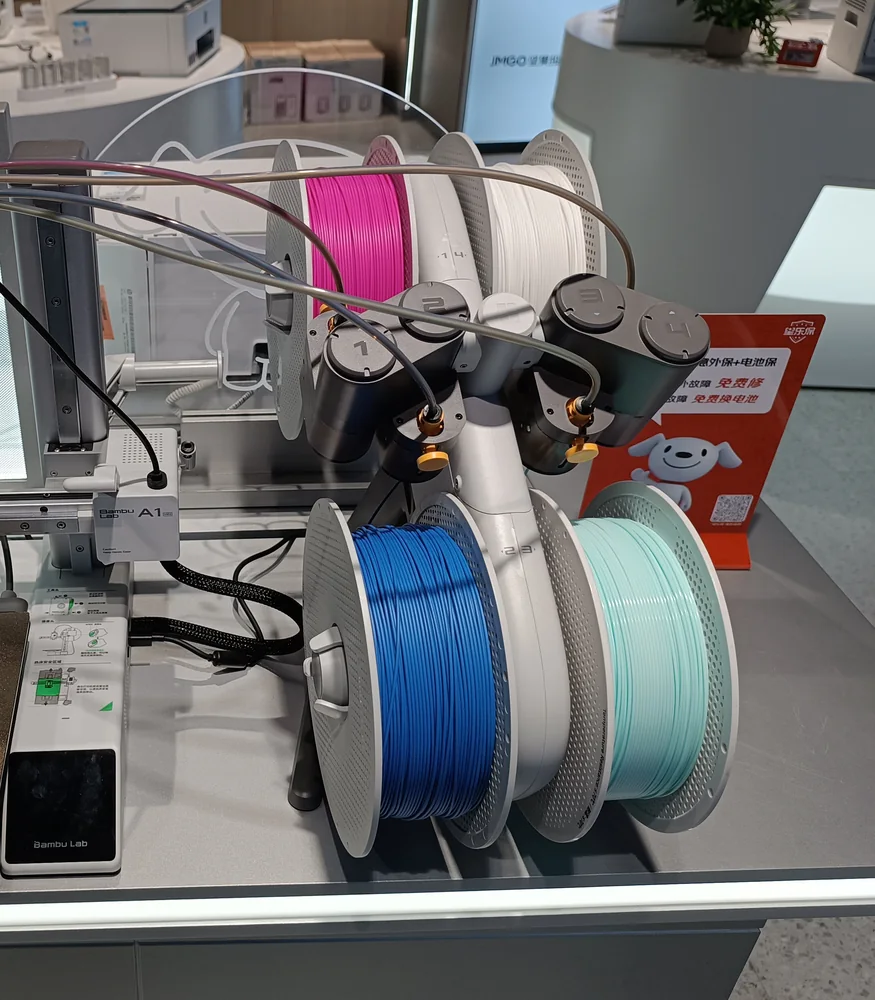
Quick answer: Check for a tangled or stuck spool, trim a damaged filament tip, confirm the filament is actually entering the feeder, inspect every PTFE connection for kinks or partial insertion, and check the AMS Lite filament hub/toolhead connection. If the path is clear, test another slot and a known-good spool to isolate the problem.
How the AMS Lite Filament Path Works
The AMS Lite has four filament positions. Each feeder sends filament through its PTFE path toward the printer. At the toolhead, the AMS Lite filament hub brings multiple PTFE paths together so the selected filament can feed into the extruder. Bambu describes the filament hub as a key part of reliable filament switching, with four PTFE tube connections feeding toward the extruder. That means a loading failure can happen at the spool, feeder, tube, hub or toolhead. Finding where the filament stops is more useful than repeatedly pressing Retry.1. Check the Spool First
Make sure the spool can rotate freely and that the filament is not trapped underneath another winding. A tangled spool can let the AMS start feeding successfully and then suddenly create enough resistance to trigger a failure. Also look for damaged cardboard edges, a bent spool, or anything rubbing against the AMS Lite frame.2. Inspect and Trim the Filament Tip
Remove the filament and examine the first few centimetres. Trim away a section if the end is flattened, chewed, sharply bent, swollen or brittle. A clean, reasonably straight end passes through the PTFE path more reliably.3. Confirm the Filament Enters the Feeder
Insert it into the correct AMS Lite feeder and make sure the feeder detects/grips it. If it never gets properly captured at the first stage, there is no reason to troubleshoot the toolhead yet.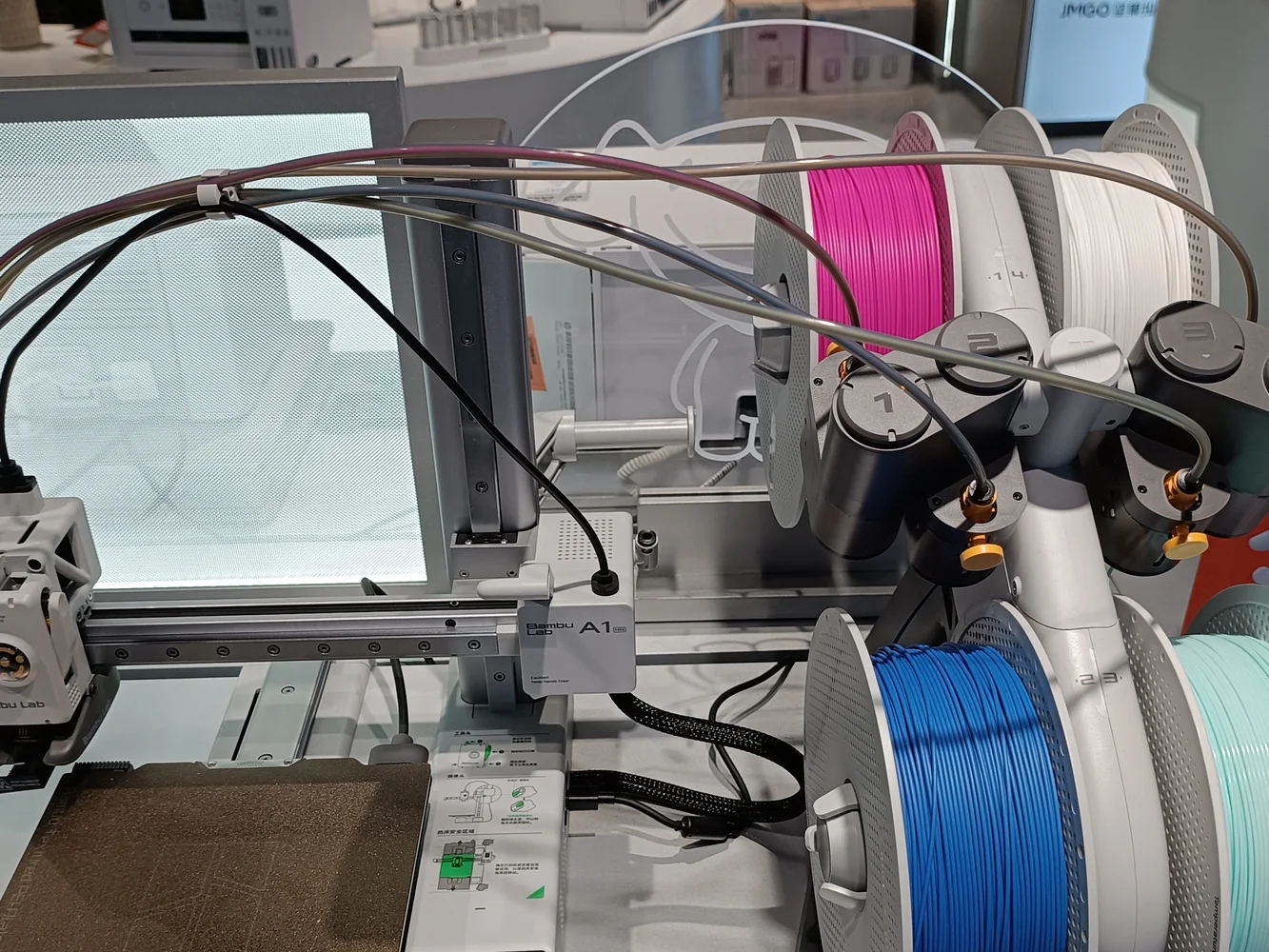
4. Trace Every PTFE Tube
Follow the tube from the affected AMS Lite slot all the way to the printer. Look for:- A tube that is not fully seated in its fitting
- A kink or unusually tight bend
- A damaged or crushed tube end
- A broken piece of filament inside
- Visible resistance where the tube changes direction
5. Check the AMS Lite Filament Hub
The filament hub connects the four PTFE routes to the toolhead/extruder path. If multiple AMS slots fail at approximately the same location, the shared hub or the path after it deserves extra attention. Bambu publishes a dedicated loading/unloading troubleshooting guide and separate filament-hub maintenance information. Use the official guide before disassembling the hub so clips and fittings are released correctly.6. Try Another AMS Lite Slot
This is a simple isolation test. Take the same known-good spool and try another slot.- If one slot repeatedly fails but the others work, focus on that feeder and its PTFE route.
- If all slots fail at the same point, focus on the shared hub/toolhead path.
- If the problem follows the spool, the filament or spool winding may be the cause.
7. Look for Broken Filament
Brittle filament can snap inside a PTFE tube. The piece may be short enough that you cannot see it from either end. If filament suddenly stops at the same physical point every time, inspect that part of the path before replacing electronics or motors.8. Watch the Spool During Unloading
An unloading failure is not necessarily the same problem as a loading failure. Watch whether the AMS Lite is actually retracting filament and whether the spool can take up the returning filament without binding.9. Test With a Known-Good Filament
When troubleshooting, remove unnecessary variables. Use a filament that is dry, not brittle, and known to feed correctly. Test load, extrusion and unload before trying the original spool again.When to Stop and Use Bambu’s Component-Specific Guide
If the filament path is clear, the PTFE tubes are fully seated, the spool turns freely and a particular slot or shared path still fails, move to Bambu’s official AMS Lite troubleshooting procedure for the exact component. This is especially important before opening the feeder or hub.Good troubleshooting rule: change one variable at a time. If you move tubes, change filament, swap slots and disassemble the hub all at once, you may fix the issue without ever learning what caused it.
Frequently Asked Questions
Why does my AMS Lite feed filament and then pull it back?
The printer may be detecting that filament did not reach or pass the expected point in the feed path. Check the spool, filament tip, PTFE connections, hub and toolhead path for resistance or obstruction.Can one bad spool make the AMS Lite look broken?
Yes. A tangle, damaged spool or brittle filament can create enough resistance to cause loading or unloading errors.What if only one AMS Lite slot fails?
Test the same filament in another slot. If the failure stays with the original slot, inspect that feeder and its PTFE path first.What if every AMS Lite slot fails?
If all slots stop at the same place, investigate shared components such as the filament hub, toolhead path or extruder rather than assuming all four feeders failed at once.Have a 3D-printing project that needs producing?
3D Print BC provides Canadian FDM printing for prototypes, functional replacement parts and small batches. Visit 3DPrintBC.com.
Technical References
Bambu Lab Wiki: AMS Lite Filament Loading & Unloading Failure Troubleshooting. Bambu Lab store overview: AMS Lite Filament Hub. Independently written by 3D Print BC; not affiliated with or endorsed by Bambu Lab.
Need a part printed?
Turn the guide into a real part.
Upload your STL/3MF or tell 3D Print BC what you need. We’ll review the project and help you choose the right material and print approach.